Project Showcase
Bringing 100,000 Particles to the Browser: Vibe Particles Web
A creative-coding retrospective on bringing GPGPU particles, audio, MIDI, and recording into the browser.
Why build a browser version?
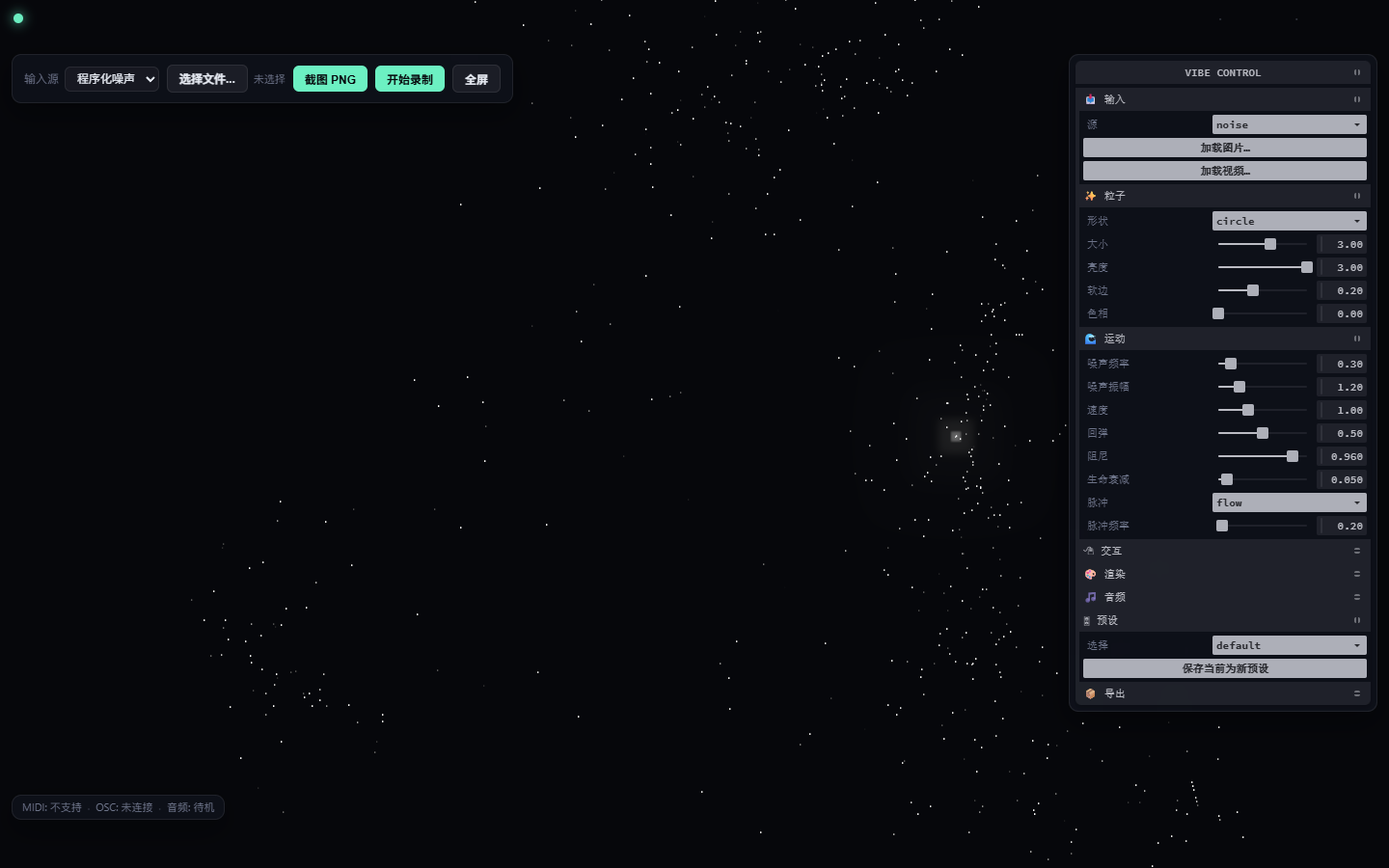
Vibe Particles Web explores how a real-time particle instrument can live in the browser. I wanted the immediate, tune-and-watch feel of a desktop creative tool without requiring visitors to install specialized graphics software first.
The browser also brings inputs, permissions, and export into one interaction model. Local images, video, a camera feed, or procedural noise can become a particle target, with parameter changes reflected immediately.
The GPGPU data flow
The system uses Three.js GPUComputationRenderer textures to hold particle positions and velocities. The input layer builds a target texture.
Update shaders combine that texture with noise, pointer, and audio data before the render shader draws the result.
The particle count is fixed at 100,000. That keeps the implementation and visual density predictable, but not the frame rate. Results still depend on the GPU, driver, resolution, and active input source.
Input, audio, MIDI, and recording
An input can be a local image, local video, camera feed, or procedural noise. Image, video, camera, and microphone data stay inside the current page; the project has no server endpoint that uploads those media streams.
Web Audio analyzes the microphone spectrum and feeds motion parameters. Web MIDI Control Change messages can map to selected particle, motion, and audio controls. Both features depend on browser permissions and platform support.
The app exports PNG snapshots and records the canvas to WebM through MediaRecorder. The current WebM contains canvas video only, not microphone audio. Custom presets remain in the browser’s localStorage.
Trade-offs
I kept the project as a static front-end application to make local use and hosting straightforward. The trade-off is that no server fallback can normalize differences in camera, microphone, MIDI, codec, or download behavior.
A fixed particle count simplifies compute textures and geometry, but there is no device-aware quality reduction. The controls also prioritize desktop pointer use; mobile interaction and touch layouts still need a redesign.
What has been verified
The 2026-08-04 single-machine acceptance used Windows, Chrome 150, and an NVIDIA GeForce RTX 4060 Laptop GPU. HTTP, WebGL2 startup, changing particles, image/video input, fake camera/mic, PNG, WebM, and preset storage have recorded passes.
The UI showed 165 FPS during one observation on that machine. It is not a reproducible benchmark and says nothing definitive about other browsers, GPUs, resolutions, or input sources.
This acceptance is not full certification across browsers, GPUs, mobile devices, or physical MIDI hardware. The later dependency-upgrade check was a focused startup/render smoke test, not a repeat of the complete capability matrix.
On the same date, npm audit --audit-level=moderate reported 0 known vulnerabilities for the locked dependency tree. That is a point-in-time audit result, not a guarantee of absolute safety or production readiness.
Limitations
When microphone permission is denied, AudioManager catches the error but the UI may still claim it is connected. There is no graceful WebGL2 fallback, mobile redesign, physical MIDI coverage, or preset import/export yet.
Some shader masks use reversed-edge smoothstep, whose result is undefined across drivers. Boundary and rebirth velocity changes also happen in a compute path that does not write the velocity texture, so they may not persist.
The audio-smoothing control is not wired to AudioManager. MIDI, MediaRecorder, video codecs, and download formats vary by browser and OS. The OSC indicator is currently only a placeholder.
Roadmap
With explicit authorization, the first steps are to replace the non-portable shader masks and move boundary/rebirth velocity changes into a pass that writes the velocity texture.
Reproducible GPU benchmarks, a documented browser/GPU/device matrix, and automated smoke tests follow.
The product work includes accurate denied-permission states for camera, microphone, and MIDI; a clear WebGL2 unsupported state; mobile controls; preset import/export; and recording compatibility checks across platforms.
GitHub
The source is public at SiyanHub/vibe-particles-web. You can view or download it on GitHub, or clone it and follow the README to install dependencies and run it locally.
The repository currently has no LICENSE and has not been published as an npm package. Public visibility and download access do not grant permission to copy, modify, or redistribute the work; contact the author before reuse.